

Hey there! As a supplier of sleeve labeling machines, I often get asked about how to upgrade the software of these machines. Well, you're in luck because I'm gonna break it down for you in this blog post.
Why Upgrade the Software?
First off, let's talk about why you'd even want to upgrade the software of your sleeve labeling machine. The main reason is to improve performance. New software versions usually come with bug fixes, which means fewer glitches and less downtime for your machine. It can also enhance the machine's functionality. For example, you might get new labeling patterns or better compatibility with different types of labels.
Another big advantage is security. Just like your computer or smartphone, sleeve labeling machines are vulnerable to cyber threats. Upgrading the software can patch security holes and protect your machine from potential attacks.
Pre - upgrade Checks
Before you start the upgrade process, there are a few things you need to do. First, make sure you have a backup of the current software. You don't want to lose any important settings or data if something goes wrong during the upgrade. You can usually do this by connecting the machine to a computer and using the appropriate software to save a copy of the existing configuration.
Next, check the system requirements for the new software. Your machine might need a certain amount of memory or processing power to run the updated software smoothly. If your machine doesn't meet these requirements, you might need to consider hardware upgrades as well.
Also, it's a good idea to read the release notes for the new software. These notes will tell you what's new in the update, any known issues, and any special instructions you need to follow.
The Upgrade Process
Now, let's get into the actual upgrade process.
Step 1: Download the Software
The first thing you need to do is download the new software from the official source. As a supplier, we always recommend getting the software directly from us or the manufacturer. This ensures that you're getting a legitimate and up - to - date version. You can usually find the download link on our website.
Step 2: Prepare the Machine
Before you install the new software, make sure the machine is turned off and disconnected from any power sources. This is for safety reasons. You also want to clean the machine to make sure there's no dust or debris that could interfere with the installation process.
Step 3: Install the Software
Once you've downloaded the software and prepared the machine, it's time to install the new software. This usually involves connecting the machine to a computer using a USB cable or other appropriate connection. Then, follow the on - screen instructions to install the software. It might take a while, so be patient.
Step 4: Configuration
After the software is installed, you'll need to configure it. This includes setting up the labeling parameters, such as label size, speed, and position. You can refer to the user manual or the release notes for guidance on how to do this.
Step 5: Testing
Once you've configured the software, it's time to test the machine. Run a few test labels to make sure everything is working properly. Check for any errors or issues, such as misaligned labels or incorrect printing. If you encounter any problems, refer to the troubleshooting section of the user manual or contact our support team.
Different Types of Sleeve Labeling Machines
We offer a variety of sleeve labeling machines, each with its own unique features and software requirements.
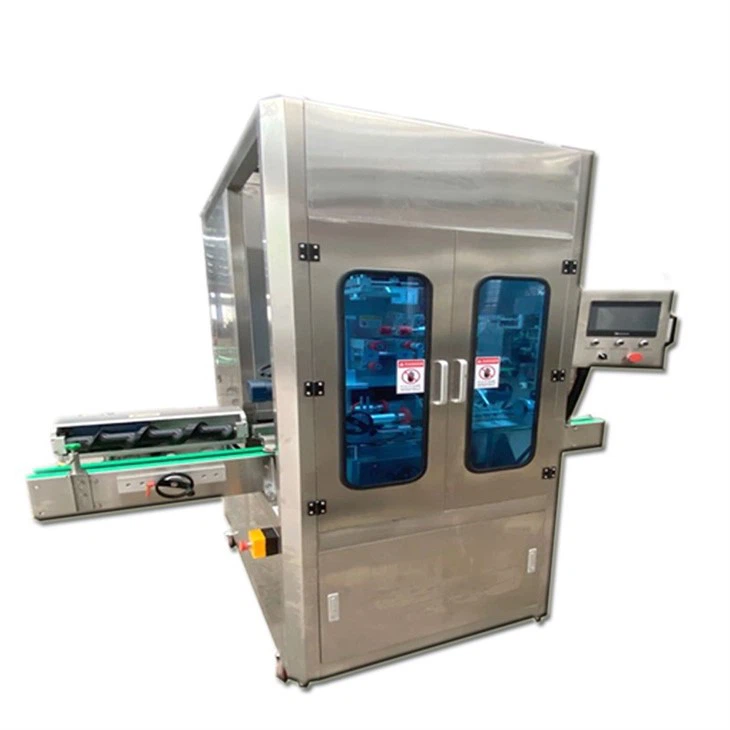
The Fully Automatic Sleeve Labeling Machine is a great option for high - volume production. It can label products quickly and accurately, and the software upgrade can further improve its efficiency.
The Large Bucket Water Sleeve Labeling Machine is specifically designed for labeling large buckets of water. The software upgrade can enhance its ability to handle different bucket sizes and label designs.
The Double Head Sleeve Labeling Machine has two labeling heads, which means it can label two products at the same time. Upgrading the software can optimize the performance of both heads and improve overall productivity.
Troubleshooting
Even if you follow all the steps correctly, you might still encounter some problems during the upgrade process. Here are some common issues and how to fix them.
Software Installation Errors
If you get an error message during the software installation, check the system requirements again. Make sure your machine meets all the necessary specifications. You can also try restarting the installation process or contacting our support team for help.
Labeling Issues
If the labels are misaligned or not printing correctly after the upgrade, check the configuration settings. Make sure the label size, speed, and position are set correctly. You might also need to calibrate the machine.
Connectivity Problems
If you're having trouble connecting the machine to the computer during the upgrade process, check the cables and connections. Make sure the USB cable is properly plugged in and that the computer recognizes the machine.

Conclusion
Upgrading the software of your sleeve labeling machine is a great way to improve its performance, functionality, and security. By following the steps outlined in this blog post, you can ensure a smooth and successful upgrade process.
If you're interested in upgrading the software of your sleeve labeling machine or if you're thinking about purchasing a new one, don't hesitate to contact us. We're here to help you make the best decision for your business. Whether you need a Fully Automatic Sleeve Labeling Machine, a Large Bucket Water Sleeve Labeling Machine, or a Double Head Sleeve Labeling Machine, we've got you covered.
References
- Manufacturer's user manuals for sleeve labeling machines
- Software release notes provided by the manufacturer
- Internal technical documentation from our company