

Sleeve labeling machines are essential equipment in various industries, providing efficient and accurate labeling solutions for products. However, like any mechanical device, they can encounter common problems that may disrupt the production process. As a sleeve labeling machine supplier, I understand the importance of troubleshooting these issues promptly to minimize downtime and ensure smooth operation. In this blog post, I will share some practical tips on how to troubleshoot common problems in a sleeve labeling machine.
1. Label Feeding Problems
One of the most common issues in a sleeve labeling machine is label feeding problems. This can manifest as labels not feeding properly, jamming, or misaligning. Here are some possible causes and solutions:
- Incorrect Label Size or Thickness: Ensure that the labels you are using are the correct size and thickness for your machine. Using labels that are too large, too small, or too thick can cause feeding issues. Refer to the machine's manual for the recommended label specifications.
- Dirty or Worn-out Feed Rollers: Over time, the feed rollers can accumulate dirt, dust, or adhesive residue, which can affect their grip on the labels. Clean the feed rollers regularly using a soft cloth and a mild cleaning solution. If the rollers are worn out, replace them with new ones.
- Incorrect Tension Settings: The tension of the label roll and the feed mechanism is crucial for proper label feeding. If the tension is too high, the labels may tear or jam. If the tension is too low, the labels may not feed smoothly. Adjust the tension settings according to the machine's manual.
- Label Roll Alignment: Make sure the label roll is properly aligned on the machine. If the roll is misaligned, the labels may not feed straight or may jam. Check the alignment of the label roll and adjust it if necessary.
2. Cutting Problems
Another common problem in a sleeve labeling machine is cutting problems. This can include uneven cuts, incomplete cuts, or excessive blade wear. Here are some possible causes and solutions:
- Dull or Worn-out Cutting Blade: The cutting blade is the most critical component for accurate label cutting. Over time, the blade can become dull or worn out, resulting in poor cutting performance. Replace the cutting blade regularly according to the machine's recommended maintenance schedule.
- Incorrect Blade Height or Pressure: The height and pressure of the cutting blade are crucial for achieving clean and precise cuts. If the blade height is too high, the labels may not be cut completely. If the blade height is too low, the blade may damage the product or the machine. Adjust the blade height and pressure according to the machine's manual.
- Dirty or Clogged Cutting Area: The cutting area can accumulate dirt, dust, or adhesive residue, which can affect the cutting performance. Clean the cutting area regularly using a soft cloth and a mild cleaning solution. Make sure there are no obstructions in the cutting path.
- Incorrect Cutting Speed: The cutting speed of the machine should be adjusted according to the type and thickness of the labels. If the cutting speed is too fast, the labels may not be cut properly. If the cutting speed is too slow, the production efficiency may be affected. Adjust the cutting speed according to the machine's manual.
3. Shrinkage Problems
Shrinkage is an important process in sleeve labeling, as it ensures that the labels conform tightly to the product surface. However, shrinkage problems can occur, such as uneven shrinkage, wrinkles, or bubbles. Here are some possible causes and solutions:
- Incorrect Shrink Tunnel Temperature or Airflow: The temperature and airflow in the shrink tunnel are crucial for proper shrinkage. If the temperature is too high, the labels may over-shrink, resulting in wrinkles or bubbles. If the temperature is too low, the labels may not shrink enough, resulting in loose or uneven labels. Adjust the temperature and airflow settings according to the machine's manual and the type of shrink film being used.
- Incorrect Shrink Film Selection: Different types of shrink films have different shrinkage properties. Make sure you are using the correct type of shrink film for your product and the machine. Consult with the shrink film supplier or the machine manufacturer for recommendations.
- Product Surface Contamination: If the product surface is contaminated with dirt, oil, or moisture, it can affect the shrinkage process. Clean the product surface thoroughly before labeling to ensure good adhesion and shrinkage.
- Shrink Tunnel Alignment: Make sure the shrink tunnel is properly aligned with the labeling machine. If the tunnel is misaligned, the labels may not pass through the tunnel evenly, resulting in uneven shrinkage. Check the alignment of the shrink tunnel and adjust it if necessary.
4. Applicator Problems
The applicator is responsible for applying the labels to the products. Common problems with the applicator can include misalignment, poor adhesion, or excessive adhesive residue. Here are some possible causes and solutions:
- Incorrect Applicator Height or Angle: The height and angle of the applicator are crucial for accurate label application. If the applicator is too high or too low, the labels may not be applied properly. If the applicator is at the wrong angle, the labels may be misaligned or wrinkled. Adjust the applicator height and angle according to the machine's manual and the product dimensions.
- Dirty or Worn-out Applicator Rollers: The applicator rollers can accumulate dirt, dust, or adhesive residue, which can affect their grip on the labels and the product surface. Clean the applicator rollers regularly using a soft cloth and a mild cleaning solution. If the rollers are worn out, replace them with new ones.
- Incorrect Adhesive Settings: The type and amount of adhesive used in the applicator are important for proper label adhesion. If the adhesive is too thick or too thin, the labels may not stick properly or may leave excessive residue. Adjust the adhesive settings according to the machine's manual and the type of labels and products being used.
- Product Surface Preparation: The product surface should be clean, dry, and free of any contaminants for good label adhesion. If the product surface is rough, porous, or oily, it may affect the adhesion of the labels. Consider using a primer or a surface treatment to improve the adhesion.
5. Electrical and Control Problems
Electrical and control problems can also occur in a sleeve labeling machine, such as malfunctioning sensors, faulty motors, or software glitches. Here are some possible causes and solutions:
- Loose or Damaged Electrical Connections: Check all the electrical connections in the machine, including the power cord, the control panel, and the sensors. Make sure they are tight and secure. If any connections are loose or damaged, repair or replace them.
- Faulty Sensors or Switches: The sensors and switches in the machine are responsible for detecting the presence of the labels, the products, and the position of the various components. If a sensor or switch is faulty, it can cause the machine to malfunction. Test the sensors and switches using a multimeter or a diagnostic tool. Replace any faulty sensors or switches.
- Software Glitches or Programming Errors: The software that controls the machine's operation can sometimes encounter glitches or programming errors. If you suspect a software problem, try restarting the machine and resetting the control panel. If the problem persists, contact the machine manufacturer's technical support team for assistance.
- Power Supply Issues: Make sure the machine is connected to a stable and reliable power supply. Fluctuations in the power supply can cause electrical problems in the machine. Consider using a voltage stabilizer or an uninterruptible power supply (UPS) to protect the machine from power surges and outages.
Conclusion
Troubleshooting common problems in a sleeve labeling machine requires a systematic approach and a good understanding of the machine's operation. By following the tips and solutions outlined in this blog post, you can identify and resolve most of the common issues that may arise in your sleeve labeling machine. However, if you encounter a problem that you are unable to solve on your own, do not hesitate to contact the machine manufacturer's technical support team for assistance.

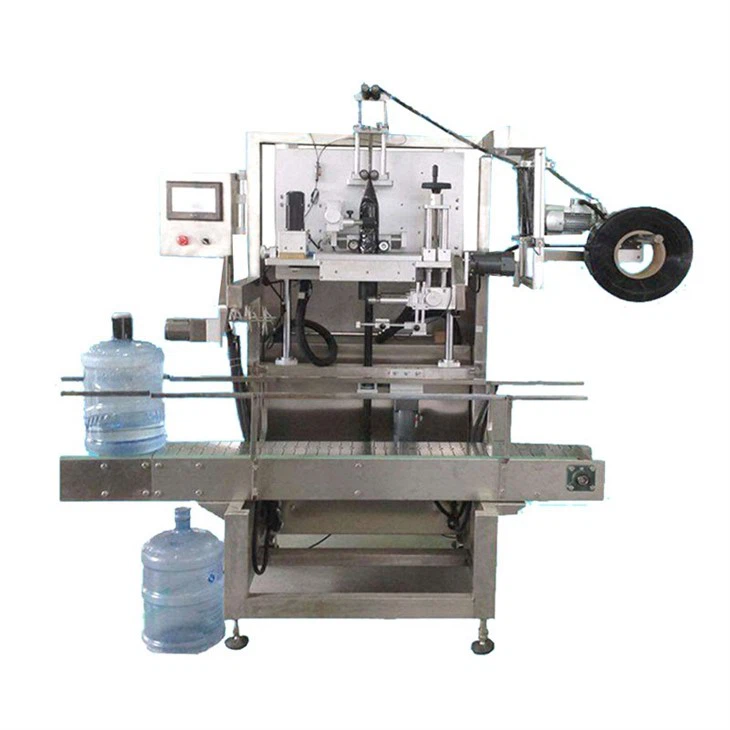
As a sleeve labeling machine supplier, we offer a wide range of high-quality sleeve labeling machines, including Fully Automatic Sleeve Labeling Machine, Double Head Sleeve Labeling Machine, and Large Bucket Water Sleeve Labeling Machine. Our machines are designed to provide efficient, accurate, and reliable labeling solutions for various industries. If you are interested in purchasing a sleeve labeling machine or need further information, please feel free to contact us for a consultation and a quote.
References
- Manufacturer's Manuals for Sleeve Labeling Machines
- Industry Standards and Best Practices for Labeling Equipment
- Technical Articles and Publications on Sleeve Labeling Technology