

Transferring data to a laser coding machine is a crucial process that ensures accurate and efficient marking on various products. As a leading supplier of laser coding machines, we understand the importance of seamless data transfer and its impact on your production line. In this blog post, we will guide you through the steps of transferring data to a laser coding machine, discuss the different methods available, and provide some tips to optimize the process.
Understanding the Basics of Laser Coding Machines
Before delving into the data transfer process, it's essential to have a basic understanding of how laser coding machines work. Laser coding machines use a high-powered laser beam to create permanent marks on the surface of a product. These marks can include text, barcodes, logos, and other graphics. The laser beam interacts with the material, either by removing a thin layer of the surface or by causing a chemical reaction that changes the color of the material.
The data that needs to be coded onto the product is stored in the machine's memory. This data can be entered manually or transferred from an external source, such as a computer or a database. The laser coding machine then uses this data to control the movement of the laser beam and create the desired marks.
Methods of Data Transfer
There are several methods available for transferring data to a laser coding machine. The choice of method depends on the specific requirements of your production line, the type of data you need to transfer, and the capabilities of your laser coding machine. Here are some of the most common methods:
Manual Data Entry
Manual data entry is the simplest method of transferring data to a laser coding machine. This method involves entering the data directly into the machine's control panel using a keyboard or a touch screen. Manual data entry is suitable for small-scale production runs or when the data needs to be changed frequently. However, it can be time-consuming and prone to errors, especially when dealing with large amounts of data.
USB Flash Drive
Using a USB flash drive is a convenient way to transfer data to a laser coding machine. This method involves saving the data onto a USB flash drive and then inserting the flash drive into the machine's USB port. The laser coding machine can then read the data from the flash drive and use it for coding. USB flash drives are portable and easy to use, making them a popular choice for transferring data between different machines.
Ethernet Connection
An Ethernet connection allows you to transfer data to a laser coding machine over a local area network (LAN) or the internet. This method requires the laser coding machine to be connected to the network using an Ethernet cable. You can then use a computer or a server to send the data to the machine. Ethernet connections offer high-speed data transfer and are suitable for large-scale production runs. They also allow for remote monitoring and control of the laser coding machine.

Serial Communication
Serial communication is a method of transferring data between two devices using a serial port. This method requires the laser coding machine to be connected to a computer or a controller using a serial cable. Serial communication is commonly used in industrial applications and offers reliable data transfer. However, it may require additional configuration and setup compared to other methods.
Steps to Transfer Data to a Laser Coding Machine
The steps for transferring data to a laser coding machine may vary depending on the method you choose and the specific model of the machine. Here is a general guide to help you through the process:
Step 1: Prepare the Data
Before transferring the data, you need to prepare it in the appropriate format. The data should be in a format that the laser coding machine can understand, such as a text file, a CSV file, or a database. Make sure the data is accurate and complete, and that it includes all the necessary information for coding, such as text, barcodes, and graphics.
Step 2: Choose the Data Transfer Method
Select the data transfer method that best suits your needs. Consider factors such as the amount of data you need to transfer, the speed of transfer, and the compatibility with your laser coding machine. If you are unsure which method to use, consult the machine's user manual or contact our technical support team for assistance.
Step 3: Connect the Devices
If you are using a USB flash drive, insert the flash drive into the machine's USB port. If you are using an Ethernet connection, connect the laser coding machine to the network using an Ethernet cable. If you are using serial communication, connect the machine to the computer or controller using a serial cable.
Step 4: Transfer the Data
Once the devices are connected, you can transfer the data to the laser coding machine. If you are using a USB flash drive, the machine should automatically detect the flash drive and prompt you to select the data file. If you are using an Ethernet connection or serial communication, you may need to use software or a programming interface to send the data to the machine. Follow the instructions provided by the machine's user manual or the software to complete the data transfer process.
Step 5: Verify the Data
After the data transfer is complete, it's important to verify that the data has been transferred correctly. Check the machine's display or output to ensure that the marks are accurate and match the data you transferred. If there are any errors or discrepancies, you may need to repeat the data transfer process or make corrections to the data.
Tips for Optimizing Data Transfer
To ensure smooth and efficient data transfer to your laser coding machine, here are some tips to keep in mind:
- Keep the Data Organized: Organize your data in a logical and consistent manner to make it easier to manage and transfer. Use descriptive file names and folder structures, and keep track of any changes or updates to the data.
- Test the Data Transfer: Before starting a production run, test the data transfer process to ensure that it works correctly. This can help you identify and resolve any issues or errors before they cause problems on the production line.
- Use Error Checking and Validation: Implement error checking and validation mechanisms to ensure that the data you transfer is accurate and complete. This can help prevent coding errors and reduce the need for rework.
- Regularly Update the Machine's Software: Keep the software of your laser coding machine up to date to ensure compatibility with the latest data transfer methods and technologies. Software updates can also improve the performance and functionality of the machine.
- Train Your Staff: Provide training to your staff on how to transfer data to the laser coding machine and how to troubleshoot any issues that may arise. This can help ensure that the data transfer process is carried out correctly and efficiently.
Related Products
In addition to our laser coding machines, we also offer a range of labeling machines that can complement your production line. Here are some of our popular labeling machines:
- Double Head Sleeve Labeling Machine: This machine is designed for high-speed labeling of products with sleeve labels. It features two labeling heads for increased productivity and accuracy.
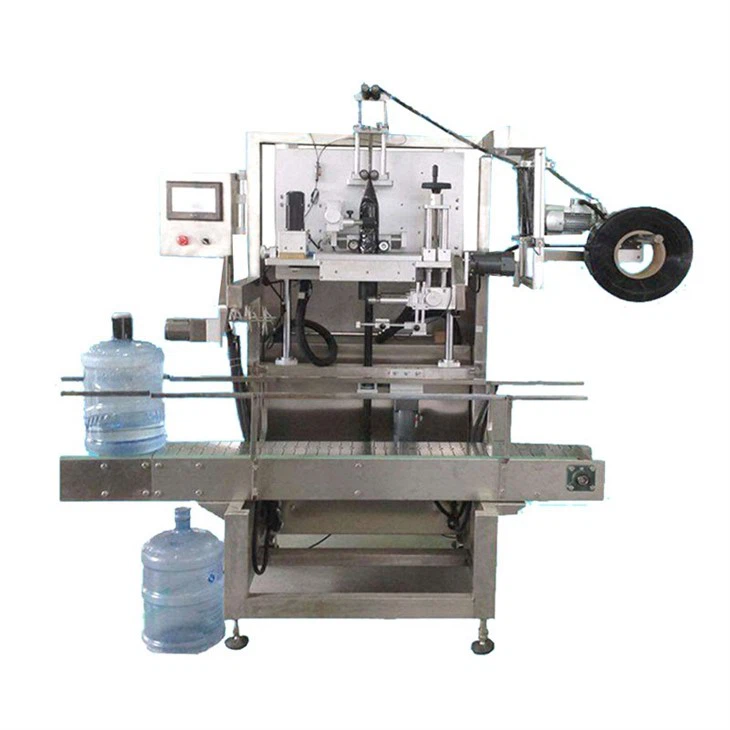
- Large Bucket Water Sleeve Labeling Machine: Specifically designed for labeling large buckets of water, this machine offers reliable and efficient labeling performance.
- Fully Automatic Sleeve Labeling Machine: This machine is fully automated and can handle a wide range of products and label sizes. It offers high-speed labeling and precise label placement.
Conclusion
Transferring data to a laser coding machine is a critical process that requires careful planning and execution. By understanding the different methods of data transfer, following the steps outlined in this blog post, and implementing the tips for optimization, you can ensure that your data is transferred accurately and efficiently to your laser coding machine. If you have any questions or need further assistance with data transfer or any other aspect of our laser coding machines or labeling machines, please don't hesitate to contact us. We are here to help you optimize your production line and achieve your coding and labeling goals.
References
- Laser Coding Machine User Manuals
- Industrial Automation and Control Literature
- Data Transfer and Communication Standards