

Hey there! As a supplier of ink coding machines, I've seen firsthand how crucial it is to have the ink flow adjusted just right. A well-adjusted ink flow ensures clear, sharp, and consistent codes on your products, which is super important for branding, traceability, and compliance. In this blog post, I'm gonna share some tips on how to adjust the ink flow in an ink coding machine.
Understanding the Basics of Ink Flow
Before we dive into the adjustment process, let's quickly go over how the ink flows in an ink coding machine. The ink is typically stored in a reservoir and is pumped through a system of tubes and nozzles to the printing head. The flow of ink is controlled by a combination of pressure, viscosity, and the settings on the machine.
Factors Affecting Ink Flow
There are several factors that can affect the ink flow in an ink coding machine. Here are some of the most common ones:
- Ink Viscosity: The viscosity of the ink plays a huge role in how it flows. If the ink is too thick, it won't flow easily through the nozzles, resulting in poor print quality. On the other hand, if the ink is too thin, it might cause smudging or overspray. Make sure to use the right type of ink for your machine and check its viscosity regularly.
- Pressure: The pressure in the ink system is another important factor. Too much pressure can cause the ink to spray out too forcefully, while too little pressure can lead to inconsistent ink flow. You'll need to adjust the pressure settings on your machine to get the optimal flow.
- Nozzle Condition: The condition of the nozzles is crucial for proper ink flow. Clogged or damaged nozzles can disrupt the flow and cause print defects. Regularly clean and maintain the nozzles to ensure they're in good working condition.
- Temperature and Humidity: The environment in which the ink coding machine operates can also affect the ink flow. High temperatures can cause the ink to dry out faster, while high humidity can make it more difficult for the ink to adhere to the product surface. Try to keep the machine in a stable environment with controlled temperature and humidity.
Steps to Adjust the Ink Flow
Now that we understand the factors affecting ink flow, let's go through the steps to adjust it:
Step 1: Check the Ink Level
First things first, make sure there's enough ink in the reservoir. Low ink levels can cause inconsistent flow and poor print quality. If the ink level is low, refill it with the appropriate ink.
Step 2: Inspect the Nozzles
Take a close look at the nozzles to see if they're clogged or damaged. You can use a magnifying glass to get a better view. If you notice any blockages, clean the nozzles using a suitable cleaning solution. Follow the manufacturer's instructions for cleaning to avoid damaging the nozzles.
Step 3: Adjust the Pressure
Most ink coding machines have a pressure adjustment knob or setting. Start by setting the pressure to a low level and gradually increase it while observing the print quality. You want to find the sweet spot where the ink flows smoothly and evenly without causing overspray or smudging. Keep in mind that different inks and substrates might require different pressure settings, so you may need to do some trial and error.
Step 4: Check the Viscosity
As mentioned earlier, the viscosity of the ink is important. You can use a viscometer to measure the viscosity of the ink. If the viscosity is too high, you can add a small amount of thinner to the ink. If it's too low, you might need to add some thickener. Be careful not to add too much of either, as it can affect the print quality.
Step 5: Test the Print Quality
Once you've made the necessary adjustments, run a test print on a sample substrate. Check the print quality for clarity, sharpness, and consistency. If you're still not satisfied with the results, go back and make further adjustments to the pressure, viscosity, or nozzle settings.
Troubleshooting Common Ink Flow Problems
Even with proper adjustment, you might encounter some ink flow problems from time to time. Here are some common issues and how to fix them:
- Inconsistent Ink Flow: If you notice that the ink is flowing unevenly or intermittently, it could be due to a clogged nozzle or a problem with the pressure. Check the nozzles and clean them if necessary. Also, make sure the pressure is set correctly.
- Overspray: Overspray occurs when the ink sprays out too far from the intended printing area. This can be caused by too much pressure or a damaged nozzle. Reduce the pressure and inspect the nozzles for damage.
- Smudging: Smudging can be a result of the ink not drying quickly enough or the substrate being too smooth. You can try increasing the drying time or using a different type of ink that dries faster. You can also roughen the substrate surface slightly to improve ink adhesion.
Other Considerations
In addition to adjusting the ink flow, there are a few other things you can do to ensure optimal performance of your ink coding machine:
- Regular Maintenance: Perform regular maintenance on your machine, including cleaning the nozzles, changing the filters, and checking the ink system for leaks. This will help prevent ink flow problems and extend the lifespan of your machine.
- Use Quality Supplies: Always use high-quality ink and other supplies recommended by the manufacturer. Using inferior products can lead to poor print quality and damage to your machine.
- Train Your Operators: Make sure your operators are properly trained on how to use and maintain the ink coding machine. They should know how to adjust the ink flow, troubleshoot common problems, and perform basic maintenance tasks.
Related Products
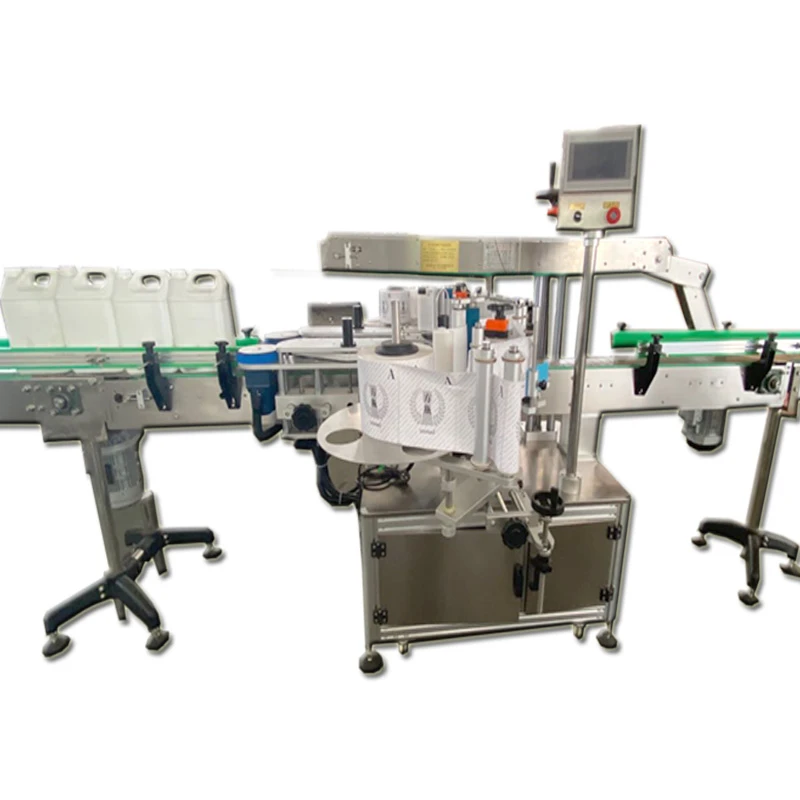
If you're also in the market for labeling machines, we offer a wide range of options. Check out our Single-sided Self-adhesive Labeling Machine and Double-sided Self-adhesive Labeling Machine for efficient and accurate labeling solutions.

Conclusion
Adjusting the ink flow in an ink coding machine is an important part of ensuring high-quality printing. By understanding the factors affecting ink flow, following the adjustment steps, and troubleshooting common problems, you can keep your machine running smoothly and produce clear, consistent codes on your products. If you have any questions or need further assistance with your ink coding machine, don't hesitate to reach out. We're here to help you get the most out of your equipment. Whether you're looking to purchase a new ink coding machine or need support with your existing one, we're just a message away. Let's start a conversation and find the best solutions for your coding and labeling needs.
References
- Manufacturer's manuals for ink coding machines
- Industry best practices for ink coding and labeling